
This tutorial will explain instructions to disable bluetooth and Wifi in Ubuntu 11.10 during start up . Step 1: Go to terminal and type following commands to edit /etc/rc.local file. gksudo gedit /etc/rc.local Step 2: Add following line before exit 0 line : rfkill block bluetooth Similarly for Wifi ,Add following line rfkill block wifi
Ubuntu 11.10 Archive
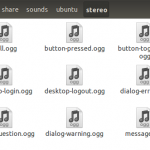
This Tutorial will explain how to change start up sound in Ubuntu . The format used in Ubuntu for startup sound is .OGG, so you have to convert music files into OGG before you set it as start up sound in Ubuntu . There are many converters available in market , so you can opt any converter.I have mobile Media converter to convert it into .OGG format. See also : How to : Install Mobile Media Converter in Ubuntu 11.10 Next step is to copy the converted OGG and paste into Ubuntu sound folder .To do that , enter following [&hellip
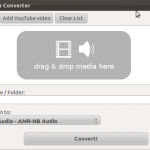
This tutorial will explain the instructions to install Mobile Media Converter in Ubuntu 11.10. Mobile Media converter is a free multi platform audio and video converter. It support formats like MP3,WMA,OGG,WAV,MPEG video , AVI, WMV, FLV, MOV,AMR and 3GP. A good thing about this software is that it comes with integrated Youtube downloader which is useful for video buff like me .It also supports iphone and iPod mp4 files. The program has a very easy-to-use and simple GUI (Graphical User Interface) that helps even the most amateur user. Most of the times, the only data that you must enter is [&hellip
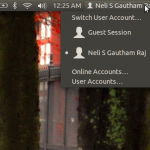
By default , the Guest session is enabled in Ubuntu 11.10 . This tutorial will show you how to remove the Guest session from the logon screen in Ubuntu 11.10.It is not imperative to do ,but its good to remove guest session to maintain privacy . Step 1: Go to terminal and run the following command to edit lightdm configuration file. sudo gedit /etc/lightdm/lightdm.conf Step 2 : Add the following line at the bottom. allow-guest=false Step 3: Restart the system
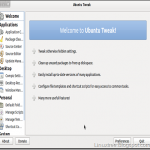
This tutorial will show you how to install Ubuntu tweak in Ubuntu 11.10 . For beginners , Ubuntu tweak is a application similar to TweakUI which we use in Windows . It is used to configure Ubuntu .It provides many useful desktop and system options that the default environment doesn’t provide . To install the Ubuntu tweak 0.6 version (developer’s version) ,first you have to install stable version . To install stable version , Go to terminal and run the following commands: sudo add-apt-repository ppa:tualatrix/next sudo apt-get update sudo apt-get install ubuntu-tweak-0 To install the latest version which is 0.6 [&hellip

ClipGrab is a free downloader and converter for YouTube, Vimeo, Dailymotion and many other online video sites. ClipGrab can convert downloaded videos to MPEG4, WMV, OGG Theora, MP3 and OGG Vorbis or simply store the videos in their original format. ClipGrab can download videos in HD and to do so, all you have to do is make sure that HD is selected in the Quality drop down menu. What I like is that ClipGrab automatically detects when you paste a link to your clipboard via Growl alerts and can auto download it if you want. In addition, downloads are surprisingly [&hellip
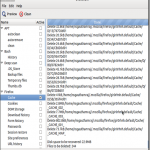
BleachBit helps you to clean your computer to free space and maintain privacy. In other words , we can say its alternative to CCleaner which is used in windows platform for the same purpose . Uses of Bleachbit : Free disk space Reduce the size of backups and the time to create them by removing unnecessary files Maintain privacy Improve system performance (by vacuuming the Firefox database, for example) Prepare whole disk images for compression (common for “ghost” backups and virtual machines) by wiping free disk space What’s new in 0.9.1 : Clean segments and segment_usage in Google Chrome History [&hellip
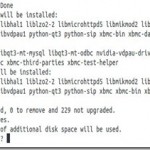
Generally whenever you install any package in Ubuntu , by default it installs all the components . This post is about reducing the no of components , in other words you can say unnecessary components which in turn increases the size of the package .To illustrate , lets take of example of XBMC media player installation. As usual , first i tried with sudo apt-get install package name format . sudo apt-get install xbmc xbmc-standalone As you can see 118MB is required to install XBMC media player . This happens as it installs all recommended packages . Here we can [&hellip

This post will show you how to install VLC on Ubuntu 11.10 and how to set it as a default application . Level : Beginners How to Install VLC media player on Ubuntu 11.10 : By default , Movie player is installed for video and Banshee is installed for Music . But you can install VLC media player through code in Ubuntu 11.10. To install VLC , run the following commands through terminal (Ctrl + Alt + T) sudo add-apt-repository ppa:n-muench/vlc sudo apt-get update sudo apt-get install vlc mozilla-plugin-vlc How to set as a Default one : Go to Control Gear [&hellip
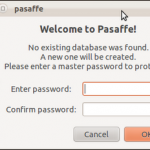
Do you have many passwords stored in your mind , want to store anywhere else ? If yes , then go for pasaffe . Pasaffe is an easy to use password manager for Gnome.Pasaffe uses a Password Safe 3.0 compatible database. How to Install in Ubuntu 11.10 : Open the terminal and run the following commands : sudo add-apt-repository ppa:mdeslaur/pasaffesudo apt-get updatesudo apt-get install pasaffe That’s it done !!