This is a simple tutorial which will teach you to install Adobe flash in two different ways . Two different ways include

- Through Adobe official website
- Through Ubuntu Software Centre.
a) Through Adobe official website :

First of all , download apt from adobe website .
http://get.adobe.com/flashplayer/
Here select APT for Ubuntu 10.04+ option & download the package . Thats it done . Next way is much simpler than first one .
b) Through Ubuntu Software Centre :
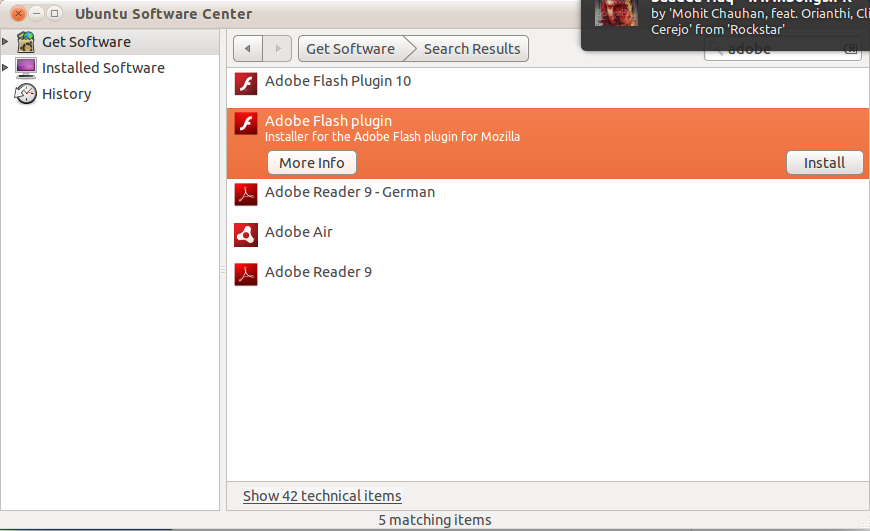
Go to Menu (which is in left side) , and navigate through Ubuntu software centre ->Adobe flash Player.Here click install and enjoy flash experience on web .
Hope you enjoyed my simple tutorial . Thank you for visiting my blog .
Related posts:
How to : Install Wireshark 1.6.1 on Ubuntu
How to :Install PlayOnLinux on Ubuntu
How to : Install Thunderbird 6.0 on Ubuntu
Minitube 1.6 : Youtube Desktop Application | What's new | How to Install
How to : Find Duplicate files on your computer
[How to ] Install Handbrake 0.9.8 in Ubuntu 12.04 Precise Pangolin
