
This tutorial will show you how to install Thunderbird 8.0 version on Ubuntu .Before installing that, lets see what’s new in this version. What’s new : Thunderbird is based on the new Mozilla Gecko 8 engine Add-ons installed by third party programs are now disabled by default New Search and Find Shortcuts Improved accessibility of the attachment list Folder switching pane widget has been removed, can be added back with the Folder Pane View Switcher Add-on. How to Install : Open the terminal and run the following commands : sudo add-apt-repository ppa:mozillateam/thunderbird-stable sudo apt-get update sudo apt-get install thunderbird
How to Install Archive

This tutorial will show you how to install new version of Firefox – Firefox 8.0 on Ubuntu . To install , either you can upgrade or can do a fresh install . Before installing Firefox 8.0, Lets see what’s new in it : Add-ons installed by third party programs are now disabled by default Added Twitter to the search bar for select locales. Additional locale support will be added in the future Added a preference to load tabs on demand, improving start-up time when windows are restored Improved performance and memory handling when using Added CORS support for cross-domain textures in WebGL Added support for HTML5 context [&hellip

By default , Flash player is not installed in Ubuntu. We generally install flash player in Ubuntu to watch youtube videos . There is also alternative way to overcome this issue. Recently i came across youtube desktop application called Minitube which can be installed in Ubuntu & we can watch youtube videos without any flash player. Lets see what’s new in Minitube’s recent version Minitube 1.6 . What’s new in 1.6: Find the missing parts of a video Share a video using Facebook, Twitter or email Fixed bug with very short videos not playing Fixed a (rather paranoid) security issue [&hellip
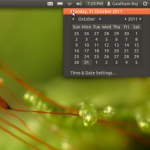
This tutorial will show you how to display multiple time zone in Ubuntu 11.10 . By default it comes with calendar ,but you can customize in your own way. Step 1 : Go to top panel and Navigate through Clock -> Time and date settings . Step 2 : Next you have to disable “Monthly calendar” which is enabled by default in Ubuntu 11.10 , but at the same time you have to enable “Time in other locations” option which is disabled by default. Before (Which comes by default) : After Our change : Step 3 : Select “Choose location” [&hellip

This is a simple tutorial which will teach you to install Adobe flash in two different ways . Two different ways include Through Adobe official website Through Ubuntu Software Centre. a) Through Adobe official website : First of all , download apt from adobe website . http://get.adobe.com/flashplayer/ Here select APT for Ubuntu 10.04+ option & download the package . Thats it done . Next way is much simpler than first one . b) Through Ubuntu Software Centre : Go to Menu (which is in left side) , and navigate through Ubuntu software centre ->Adobe flash Player.Here click install and enjoy [&hellip
On Sep 27 2011, Mozilla released new version of its browser : Firefox 7.0 . It is now available for all operating system . Firefox always comes up with new stuffs . Lets see what they mentioned in their official blog . What’s New in Firefox 7.0 : Drastically improved memory handling for certain use cases Added a new rendering backend to speed up Canvas operations on Windows systems Bookmark and password changes now sync almost instantly when using Firefox Sync The ‘http://’ URL prefix is now hidden by default Added support for text-overflow: ellipsis Added support for the Web [&hellip
Adobe® Flash® Player 11 desktop beta drives innovation for rich, engaging digital experiences with new features for cross-platform browser-based viewing of expressive rich internet applications, content, and videos across devices. Some of the features from the Flash Player Incubator, such as Stage 3D and 64-bit support, have been moved into this beta release. Features : Stage3D APIs — Deliver cutting edge three dimensional experiences on the desktop. Native 64-bit support — Support for 64-bit operating systems and browsers on Linux, Mac OS, and Windows. G.711 audio compression for telephony — Integrate real-time voice and telephony capabilities into business apps and [&hellip
Thunderbird 6.0 has been released by Mozilla team . It contains new features and many bug fixes . What’s New in Thunderbird 6.0 ? Thunderbird is based on the new Mozilla Gecko 6 engine Several theme improvements for Windows 7 Support for Windows 7 Jump lists Several fixes when importing email from Microsoft Outlook Default mail client check now works with newer Linux distributions Various other user interface fixes and improvements Numerous platform fixes that improve speed, performance, stability and security How to Install : Open the terminal and run the following commands : sudo add-apt-repository ppa:mozillateam/thunderbird-stable sudo apt-get update [&hellip
Firefox 6.0 has been released by Mozilla today . Minor bug fix has been done in this version . Firefox 7 beta will be released on September end . What’s New in Firefox 6.0 ?? The address bar now highlights the domain of the website you’re visiting Streamlined the look of the site identity block Added support for the latest draft version of WebSockets with a prefixed API Added support for EventSource / server-sent events Added support for window.matchMedia Added Scratchpad, an interactive JavaScript prototyping environment. Added a new Web Developer menu item and moved development-related items into it. Improved [&hellip
Introduction : Deluge is a full-featured BitTorrent client for Linux, OS X, Unix and Windows. It uses libtorrent in it’s backend and features multiple user-interfaces including: GTK+, web and console. It has been designed using the client server model with a daemon process that handles all the bittorrent activity. The Deluge daemon is able to run on headless machines with the user-interfaces being able to connect remotely from any platform. Deluge features a rich plugin collection; in fact, most of Deluge’s functionality is available in the form of plugins. Deluge was created with the intention of being lightweight and unobtrusive. [&hellip