This tutorial will show you how to install GnomeBaker:DVD burner in Ubuntu 12.04 .By default , Brasero Disc burner comes with Ubuntu 12.04. For newbies , GnomeBaker is a CD/DVD burning application for the Gnome desktop. If you want to know detail about this application , then refer below following link : http://en.wikipedia.org/wiki/GnomeBaker How to Install : Since installation is done through PPA , first add PPA through following code : sudo add-apt-repository ppa:gnomebaker/stable Next update your system and install Gnomebaker through following code : sudo apt-get update && sudo apt-get install gnomebaker
Author Archive
This tutorial will show you how to install Wine 1.5.10 in Ubuntu 12.04. Before going into tutorial , let’s look into new changes which happened in Wine 1.5.10. What’s new in Wine 1.5.10: New version of the Gecko engine based on Firefox 14. Support for OpenGL in the DIB engine using libOSMesa. Off-screen rendering is now the default in Direct3D. Some more WMI infrastructure. Various bug fixes. Detailed log is available @ http://www.winehq.org/announce/1.5.10 How to install in Ubuntu 12.04 : First of all , add PPA through following command : sudo add-apt-repository ppa:ubuntu-wine/ppa Next update your system [&hellip
This tutorial will show you how to install Cairo Dock 3.0.2 in Ubuntu 12.04.There were many updates and bug fixes happened in this version. After installation , you can either choose Cairo deck with OpenGL or without OpenGL. New things in Cairo Deck 3.0.2 : Core: Main GUI: Fixed a crash when hovering group buttons too quickly Main GUI: The dialog and preview didn’t appear when hovering the button Accelerators: On recent distro, ‘Control’ key is now called ‘Primary’ Icon Mgr: Added a mutex because of occasional crashes with gtk_icon_theme_lookup_icon Icon Mgr: Don’t call a ‘change-icon’ callback when clicking or [&hellip

Good news for VLC users , VLC media player has released the new version aka 2.0.3.This post will show you how to install VLC 2.0.3 in Ubuntu 12.04 . Introduction: VLC is a free and open source cross-platform multimedia player and framework that plays most multimedia files as well as DVD, Audio CD, VCD, and various streaming protocols. What’s new in VLC 2.0.3 : VideoLAN and the VLC development are proud to present a minor update adding support for OS X Mountain Lion as well as improving VLC’s overall stability on OS X. Additionally, this version includes updates for 18 [&hellip
Recently new version of Handbrake which is 0.9.8 was released . In 0.9.6 there were many changes like support for VLC or System default video player , Introduced new advanced option section for gain and audio track names but 0.9.8 there are only few minor tweaks . For those who are new , Handbrake is nothing but GPL-Multithreaded video transcoder . To Know more about Handbrake , Go through below link : http://handbrake.fr/details.php To Know more about changes in 0.9.8 , Go through release notes : https://trac.handbrake.fr/milestone/HandBrake%200.9.8 This tutorial will show you how to install Handbrake 0.9.8 in Ubuntu 12.04 Precise [&hellip

Ubuntu 12.10 alpha version II has been released today .Since this is alpha version , I will not recommend you to install in your system .This is recommended only for developers . Must Read : [News] Ubuntu 12.10 Release Date Announced [News] Ubuntu 12.10 Codenamed Quantal Quetzal Link to download : Ubuntu 12.10 download link
Generally in Windows , to check hardware components information or to know about system configuration we go to System Information ( which is shown below) but in Ubuntu 12.04 , to check system information , there is a one line command called Hardware Lister which will generate the report . Let’s see how to check system information in Ubuntu 12.04 . < System Information in Windows > To Generate ,Open the terminal and run the following command: sudo lshw -html >> system_report.html To display , Run the following command : firefox system_report.html Note : system_report is just a report name [&hellip
In case if you have missed Ubuntu developer summit live streaming which held at City Center Marriott in Oakland, California , then Watch the below recorded video & enjoy !! Ubuntu Developer Summit

This tutorial will show you how to install GIMP 2.8 in Ubuntu 12.04 . Recently after three years of hard work , GIMP has released its latest version 2.8 . To know more about the new stuffs and bug fixes , refer http://www.gimp.org/release-notes/gimp-2.8.html. About GIMP : GIMP is an acronym for GNU Image Manipulation Program. It is a freely distributed program for such tasks as photo retouching, image composition and image authoring. It has many capabilities. It can be used as a simple paint program, an expert quality photo retouching program, an online batch processing system, a mass production image [&hellip
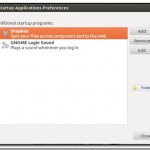
By default , in Ubuntu 12.04 the start-up sound is disabled . This tutorial will show you how to enable start-up sound in Ubuntu 12.04. To Enable it , Go to Control Gear –> Start Up Applications To enable it , Check “GNOME Login Sound” . In case if this option is not available , then add new command with below details : Name: GNOME Login sound Command: /usr/bin/canberra-gtk-play –id=”desktop-login” –description=”GNOME Login sound” Comment : Plays a sound whenever you login