
Good news for VLC users , VLC media player has released the new version aka 2.0.3.This post will show you how to install VLC 2.0.3 in Ubuntu 12.04 . Introduction: VLC is a free and open source cross-platform multimedia player and framework that plays most multimedia files as well as DVD, Audio CD, VCD, and various streaming protocols. What’s new in VLC 2.0.3 : VideoLAN and the VLC development are proud to present a minor update adding support for OS X Mountain Lion as well as improving VLC’s overall stability on OS X. Additionally, this version includes updates for 18 [&hellip
Ubuntu 12.04 Archive
Recently new version of Handbrake which is 0.9.8 was released . In 0.9.6 there were many changes like support for VLC or System default video player , Introduced new advanced option section for gain and audio track names but 0.9.8 there are only few minor tweaks . For those who are new , Handbrake is nothing but GPL-Multithreaded video transcoder . To Know more about Handbrake , Go through below link : http://handbrake.fr/details.php To Know more about changes in 0.9.8 , Go through release notes : https://trac.handbrake.fr/milestone/HandBrake%200.9.8 This tutorial will show you how to install Handbrake 0.9.8 in Ubuntu 12.04 Precise [&hellip
Generally in Windows , to check hardware components information or to know about system configuration we go to System Information ( which is shown below) but in Ubuntu 12.04 , to check system information , there is a one line command called Hardware Lister which will generate the report . Let’s see how to check system information in Ubuntu 12.04 . < System Information in Windows > To Generate ,Open the terminal and run the following command: sudo lshw -html >> system_report.html To display , Run the following command : firefox system_report.html Note : system_report is just a report name [&hellip

This tutorial will show you how to install GIMP 2.8 in Ubuntu 12.04 . Recently after three years of hard work , GIMP has released its latest version 2.8 . To know more about the new stuffs and bug fixes , refer http://www.gimp.org/release-notes/gimp-2.8.html. About GIMP : GIMP is an acronym for GNU Image Manipulation Program. It is a freely distributed program for such tasks as photo retouching, image composition and image authoring. It has many capabilities. It can be used as a simple paint program, an expert quality photo retouching program, an online batch processing system, a mass production image [&hellip
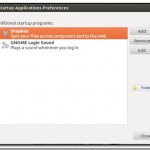
By default , in Ubuntu 12.04 the start-up sound is disabled . This tutorial will show you how to enable start-up sound in Ubuntu 12.04. To Enable it , Go to Control Gear –> Start Up Applications To enable it , Check “GNOME Login Sound” . In case if this option is not available , then add new command with below details : Name: GNOME Login sound Command: /usr/bin/canberra-gtk-play –id=”desktop-login” –description=”GNOME Login sound” Comment : Plays a sound whenever you login
Personally I think it’s better to remove Guest session from login as it prevents from unauthorised access of our local drive data. In Ubuntu 12.04 , we can remove Guest session from login through small changes in Lightdm.conf file . This tutorial will show you how to remove Guest session from Ubuntu 12.04 which is present by default in it . Step 1 : Open the terminal and run the following command to edit the Lightdm.conf . sudo gedit /etc/lightdm/lightdm.conf Step 2 : Add “Allow-Guest=false” and [&hellip
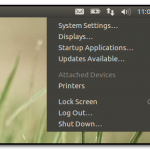
This tutorial will show how to enable Auto Hide feature in Unity . By Default , Auto-Hide feature is disabled in Unity . To auto-hide unity launcher , go to Çontrol Gear –> System settings . Under Personal Category , Click Appearance tab. Under Appearance tab , there are two sub – tabs are available : Look and behaviour . Under behavior tab, Change the state of “Auto Hide the launcher” option from OFF to ON . That’s it done !!
Pinta is a free, open source drawing/editing program modeled after Paint.NET. Its goal is to provide users with a simple yet powerful way to draw and manipulate images on Linux, Mac, and Windows. New Features in Pinta 4.2 : Individual layers can now be rotated arbitrarily Added specific mouse cursors for tools (pencil, paintbucket, etc) Autocrop of image Gradient tool now takes advantage of multiple cores to speed up rendering time Added image preview to the images pad (#791161) Added white text background option (#892690) Show image previews in the Open File dialog How to install : For Ubuntu 11.10 [&hellip
This tutorial will show you how to install Dropbox in Ubuntu 12.04 . If you are newbie , then read following link to know more about Dropbox . About Dropbox Also read : How to : Automatically transfer files from Dropbox to Picasa or Box.net through Dropbox Automator If you are new to Dropbox , then sign up through following link to use 2GB of free space: http://db.tt/KUcNY7iM Installation Steps : Step 1 : Open the terminal and run the following command to add the Dropbox respository key . sudo apt-key adv –keyserver pgp.mit.edu –recv-keys 5044912E Step 2 : Again [&hellip

This tutorial will show you how to install Google Earth in Ubuntu 12.04 . If you are still using Ubuntu 11.10 , then either you can upgrade to Ubuntu 12.04 or install Google Earth 6.2 in Ubuntu 11.10 itself . Also read : [How to] Install Google Earth 6.2 in Ubuntu 11.10 [ 32Bit & 64 Bit] If you are curious to know more about Google 6.2 version , then refer Google’s article . http://google-latlong.blogspot.in/2012/01/google-earth-62-its-beautiful-world.html Installation Instructions : For 32 Bit : Open the terminal and run the following command to download the Google 6.2 package . wget http://dl.google.com/dl/earth/client/current/google-earth-stable_current_i386.deb Again , [&hellip